Copy of How-to-download Telegram
Steps to download telegram and join the Nyaaya Mitra Cohort 2.
The Telegram Group: https://t.me/+UbiFW5QorFQ1MTk1.
1. Step 1: Go to play store (android) or app store (iphone) on your phone.
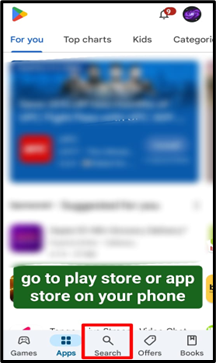
2. Step 2: Search “Telegram” on the search bar on the top right corner. Download it
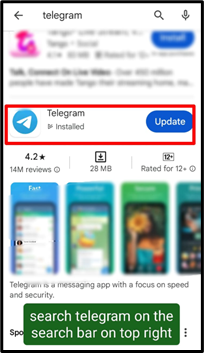
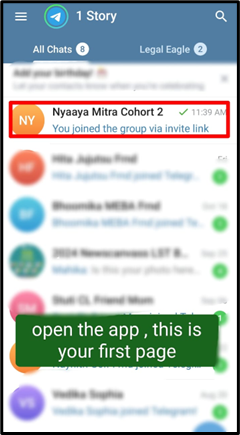
3. Step 3: Open the app, this will be the home page or the first page of the app. Click on the link given above.
4. Step 4:Search Nyaaya Mitra Cohort 2 on chat section
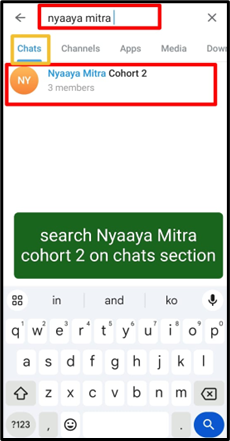
5. Step 5: Join the Nyaaya Mitra Cohort 2 group
To check if you have joined the group, It will be shown that you joined the group via invite link below. You are a happy subscriber now!
OR
Step 1: Open the telegram group link- https://t.me/+UbiFW5QorFQ1MTk1.
Step 2: Click on Download and then download telegram
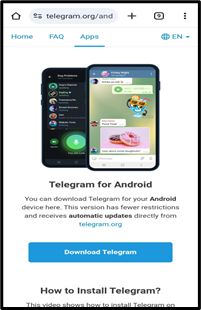
Step 3: Subscribe to the Channel
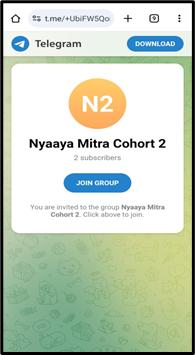
To check if you have joined the group, It will be shown that you joined the group via invite link below. You are a happy subscriber now!